Collaborative Counter
In this chapter, we will implement a collaborative counter.
Since we'll be storing and reading back state, it can be handy (though not required) to have a way to browse SQLite databases -- for example the official SQLite CLI, the one bundled with your operating system, or a graphical client like DB Browser for SQLite.
App Initialization
Launch Sobamail and start by instantiating a Sobamail starter app in developer mode. If you haven't done so yet, head over to the first tutorial chapter to learn how to do so.
Now locate your application's name under the
 Apps folder. Then expand it and click the instance id to launch the user interface.
You should now see the default welcome page. It's just a static index.html
file.
While static pages are fabulous, they are also a bit boring. Let's bring this app to life and initialize a Svelte app using Vite:
- Navigate to your develroot. You should see it right there on the initial "Hello World!" page.
To do it manually, you need to first locate your profile folder on your
computer and then go to the directory where the starter app files reside. As
an example, if your user name is test@sobamail.com your app assets could very
well be in a folder named: apps/devel/counter.test.user.app.sobamail.com.
-
Once inside the develroot, you should see the following directory structure:
.
├── GITINIT.md
├── Mutator.mjs
├── README.md
└── assets
    └── index.html
For apps in developer mode, the
Mutator.mjsandassets/index.htmlfiles are hardcoded entry points to your backend and frontend code respectively. -
Let's initialize the Svelte project under the
uifolder: -
Since we will have Vite manage our assets folder, we first remove it and add it to
.gitignore -
Now is a good time to initialize a git repository. Let's create our first commit:
-
Since Sobamail doesn't (yet?) support Javascript development servers, we will modify the Vite configuration to include a watcher job that rebuilds frontend assets when it detects file changes.
So let's create a
vite.config.devel.tswith the following content:import {svelte} from "@sveltejs/vite-plugin-svelte" import {defineConfig} from "vite" export default defineConfig({ plugins : [ svelte() ], build : { minify : false, outDir : "../assets", emptyOutDir : true, }, });... and add the watch job to
package.json--- a/ui/package.json +++ b/ui/package.json @@ -5,6 +5,7 @@ "type": "module", "scripts": { "dev": "vite", + "dev-watch": "vite build --watch --config ./vite.config.devel.ts", "build": "vite build", "preview": "vite preview", "check": "svelte-check --tsconfig ./tsconfig.app.json && tsc -p tsconfig.node.json" -
Finally, let's launch our favorite IDE and get to work:
At this stage, our code repository should look similar to this:
Let's reload the app interface in Sobamail: 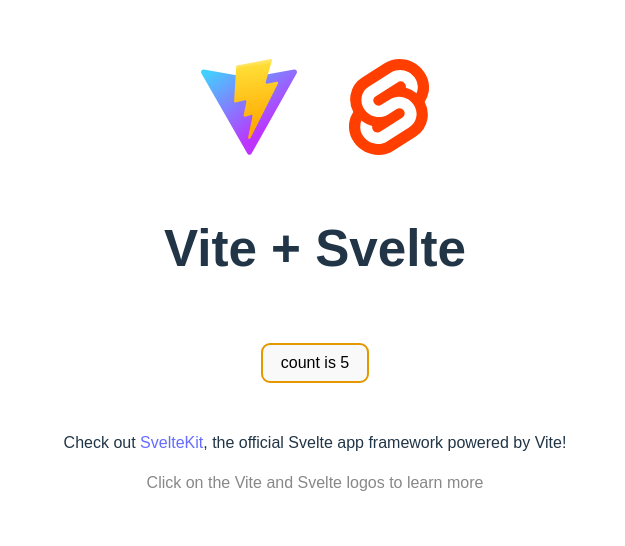
What a nice coincidence! The Svelte demo app is also an increment-only counter! How cool is that !! 😎😎
Code Organization
Before we get on with cranking out some code, let's have a closer look at the semantics of the module system in Sobamail.
While there is nothing stopping you from keeping the event classes inside the
root module, by convention, Sobamail events are kept in their own module and
imported into the root module using the import statement. Again, by
convention, module namespaces are versioned URI's that loosely point to the
actual source code of the imported module.
Couple of points regarding how the imports work:
-
Since the source code for the counter app is hosted on github, we feel like putting the events in a module named
https://github.com/sobamail/counter/model/v1feels natural.In production, modules are located and imported using their cryptographic digest values and not the actual module names. However for apps in developer mode, modules are also looked up relative to the devel root using a path closely derived from the module namespace.
For the above namespace, the path of the module source code would be:
github.com/sobamail/counter/model/v1.mjsrelative to theMutator.mjsfile. -
All Sobamail modules must have a statement in the form of
const namespace = "...";where the namespace value must match the one from the import statement minus the query string.So if the import statement is:
... the namespace statement inside
sobamail.com/module/base/v1.mjsmust be:
Now, go to your develroot and run the (equivalent of) following commands
mkdir -p github.com/sobamail/counter/model/
echo 'const namespace = "https://github.com/sobamail/counter/model/v1";' \
       > github.com/sobamail/counter/model/v1.mjs
So your app directory looks like this:
As part of this tutorial, you will add all event classes to the v1.mjs file
seen above.
Sending Increment Requests
As expected, the counter gets reset when the UI is reloaded. We must implement state persistence so that the last counter value is restored when the UI gets loaded.
As a first step, let's have the frontend send click events to the backend.
Since the preferred serialization format of the Sobamail backend is msgpack, let's install it:
Now open ui/src/lib/Counter.svelte. Replace its <script> block so that a
click encodes an IncrementRequest object and posts it to the backend:
<script lang="ts">
    import { encode, decode } from "@msgpack/msgpack";
    export const namespace = `https://github.com/sobamail/counter/model/v1`;

    async function incrementRequest(value: number) {
        const requestData = encode({
            namespace: namespace,
            name: "IncrementRequest",
            content: { value: value },
        });

        await fetch("/api/v2/object", {
            method: "POST",
            headers: {
                "Content-Type": "application/msgpack",
            },
            body: requestData,
        });
    }

    let count: number = $state(0);

    function increment() {
        count += 1;
        incrementRequest(1);
    }
</script>

<button onclick={increment}>
    count is {count}
</button>
Let's walk through what changed:
-
We import the msgpack
encode/decodehelpers and declare anamespacefor our events. In Sobamail, all objects must belong to a globally unique namespace; an easy way to guarantee that is to append/model/v1to wherever your project is hosted. Since our app lives athttps://github.com/sobamail/counter, the namespace becomeshttps://github.com/sobamail/counter/model/v1. -
incrementRequest()encodes an SMC object -- a{namespace, name, content}document -- andPOSTs it to the backend.Note
The Sobamail backend is not RESTful -- there are no methods or headers, just objects encoded in the Structured Message Content format. It only forces you to denote the namespace and name of the object in transit alongside its content.
Why? Because the backend only reacts to email. What we're doing here is effectively sending a bare-bones email to the backend with the content
{value: 1}. In a conventional web app we'd probablyPOSTto something like/api/v2/incrementwith the equivalent JSON. If you miss that mindset, nothing stops you from addingmethodorheadersproperties to your objects -- it's completely up to you.The rest is a standard use of the fetch API, except for the URL: until further notice, all backend requests in Sobamail apps go to the
/api/v2/objectendpoint. It's just another hardcoded magic constant. -
Finally,
increment()optimistically bumps the localcountand fires off the request.
Now that the data is being sent, let's implement the handler in the backend.
Writing the Counter Value
We need to (1) declare the event classes, (2) create a table to hold the counter
value, and (3) handle the incoming requests in process().
Declaring the events
Open the github.com/sobamail/counter/model/v1.mjs module you created earlier
and add the two event classes the frontend and backend will exchange:
export const namespace = `https://github.com/sobamail/counter/model/v1`;

export class AddCounter {
    static KEY = `{${namespace}}${this.name}`;
}

export class IncrementRequest {
    static KEY = `{${namespace}}${this.name}`;
}
Each imported Sobamail module must export a namespace constant matching its
import string. The classes are deliberately barebones -- since JavaScript
objects are dynamic, you don't have to declare properties unless you want to.
The KEY static gives each class its object key in
{namespace}Name form.
IncrementRequestis the object the UI sends on each click.AddCounteris the mutation we'll store in the database (more on that below).
Creating the table
Switch to Mutator.mjs. In the constructor, declare the counter table:
    constructor() {
        soba.schema.table({
            name : "counter",            // (1)
            insertEvent : AddCounter,    // (2)
            deleteEvent : DeleteRow,     // (3)
            columns : [                  // (4)
                {
                    name : "name",
                    checks : [
                        {op : "!=", value : null},
                        {op : "lww", value : true},
                        {op : "typeof", value : "text"},
                    ],
                },
                {
                    name : "value",
                    checks : [
                        {op : "!=", value : null},
                        {op : "typeof", value : "integer"},
                    ],
                },
            ],
        });
    }
nameis the table's local identifier,counter.- Every Sobamail table is identified by the object key of its
insertEvent. When a row is inserted, Sobamail stores and propagates anAddCounterevent to all replicas. - When a row is deleted, it's replicated as a
DeleteRowevent -- a tombstone. This is required boilerplate for now. columnslists our fields and their (optional) constraints. We need two: a mandatory, uniquenamecolumn using LWW (Last-Write-Wins) conflict resolution -- currently the only way to get aUNIQUEconstraint -- and a mandatoryvaluecolumn. Every Sobamail table also gets an implicitidcolumn, corresponding to SQLite'sROWID.
Behind the scenes, that call produces the following SQL schema:
CREATE TABLE IF NOT EXISTS "counter" (
    id INTEGER PRIMARY KEY AUTOINCREMENT,
    name text,
    value integer,
    CHECK(name IS NOT NULL),
    CHECK(typeof(name)='text'),
    CHECK(value IS NOT NULL),
    CHECK(typeof(value)='integer'),
    UNIQUE(name)
);
Wiring up the imports and objects of interest
Update the top of Mutator.mjs so it imports the new events (plus Message
from the base module, which we'll use to decode incoming messages) and declares
them as objects of interest:
import "soba://computer/R2";

import {
    AddCounter,
    IncrementRequest,
} from "https://github.com/sobamail/counter/model/v1";
import {
    DeleteRow,
    Message,
} from "https://sobamail.com/module/base/v1?sha224=<BASE_HASH>";

export default class Mutator {
    static id = "counter.test.user.app.sobamail.com";
    static name = "Counter";
    static version = "1.0.0.0";
    static objects = new Map([
        [ AddCounter.KEY, false ],
        [ DeleteRow.KEY, false ],
        [ IncrementRequest.KEY, false ],
    ]);

    // ... constructor (above) and process() (below) ...
}
Note
The base import shows <BASE_HASH> as a placeholder -- keep whatever value
your skeleton already put there. You'll also notice we haven't pinned a hash
on the counter/model/v1 import at all. In developer mode both are fine;
hashes only matter at the deployment stage (the first
chapter explains why we don't print literal hashes).
Handling the requests
Finally, the heart of the app: the process() method. Add it to the
Mutator class:
    process(message, meta) {
        let object = Message.extractObject(message, meta);   // (1)
        if (! object) {
            soba.log.warning("Ignoring unrecognized content");
            return;
        }

        let key = `{${object.namespace}}${object.name}`;     // (2)
        let content = object.content;

        if (key == AddCounter.KEY) {                         // (3)
            // This is a mutation, so write it straight into the database
            return soba.data.insert("counter", object);
        }

        if (key == IncrementRequest.KEY) {                   // (4)
            if (! content.value) {                           // (a)
                throw new Error("IncrementRequest.value is empty or zero");
            }

            let parent = soba.data.findLast("counter", {name : "counter"});
            if (! parent.object) {                           // (b)
                soba.data.insert("counter", {
                    name : "counter",
                    value : content.value,
                });
            }
            else {                                           // (c)
                soba.data.update("counter", {
                    parent : parent.hash,
                    column : "value",
                    op : "+",
                    value : content.value,
                }, {
                    uuid : soba.type.uuid.v4(),              // (d)
                });
            }

            return;
        }

        soba.log.warning(`Unhandled object ${key}`);
    }
Here's what each step does:
Message.extractObject()pulls the SMC object out of the incoming message -- which can be anything from a full email to the bare-bones request our UI sends. If there's nothing recognizable, we log and ignore the incoming data for good.- We rebuild the object key from the object's namespace
and name, and pull out its
content. These two locals --keyandcontent-- drive the rest of the method. AddCounteris a mutation, so we write it straight to thecountertable withsoba.data.insert().IncrementRequestcomes from the UI. Breaking down its handler:- (a) If the incoming value is
undefined,null, or0, it's invalid and we refuse it. - (b) The first time we ever see an increment, there's no row yet, so we insert one.
- (c) Otherwise we
updatethe existing row, addingvalueto the current total. - (d) We attach a fresh
uuidso the replication engine treats each increment as distinct -- otherwise two+1mutations with identical content would be deduplicated by their hash and you'd lose counts. The uuid isn't written to thecountertable.
- (a) If the incoming value is
That's the backend logic for writing. Now let's read the value back so the UI can restore it on load.
Reading the Counter Value Back
We can store increments now, but the UI still starts from zero on every reload. Let's fetch the stored value on load and show it.
Backend: answer a "get" request
Add two more events to github.com/sobamail/counter/model/v1.mjs:
export class CounterValueGet {
    static KEY = `{${namespace}}${this.name}`;
}

export class CounterValuePut {
    static KEY = `{${namespace}}${this.name}`;
}
CounterValueGet is the UI's request for the current value; CounterValuePut
is the backend's reply.
Import them in Mutator.mjs and add them to the objects of interest:
import {
    AddCounter,
    CounterValueGet,
    CounterValuePut,
    IncrementRequest,
} from "https://github.com/sobamail/counter/model/v1";
    static objects = new Map([
        [ AddCounter.KEY, false ],
        [ DeleteRow.KEY, false ],
        [ IncrementRequest.KEY, false ],
        [ CounterValueGet.KEY, false ],
        [ CounterValuePut.KEY, false ],
    ]);
Then add a handler for CounterValueGet inside process() -- right after
the AddCounter block is a good spot:
        // ui request
        if (key == CounterValueGet.KEY) {
            const rows = soba.db.exec(
                "SELECT value FROM counter WHERE name='counter'").data;
            let value = 0;
            if (rows.length > 0) {
                value = rows[0][0];
            }

            let resp = new CounterValuePut();
            resp.value = value;
            return soba.task.respond(resp);
        }
We read the stored value with soba.db.exec() (a read-only SQL query) and
send it back with soba.task.respond(). Both are provided by the runtime.
Frontend: restore the value on load
Back in ui/src/lib/Counter.svelte, add a function that asks the backend for
the stored value, a function that copies it into the reactive count, and a
call that runs them once when the component is created. Here is the complete
<script> block:
<script lang="ts">
    import { encode, decode } from "@msgpack/msgpack";
    export const namespace = `https://github.com/sobamail/counter/model/v1`;

    async function incrementRequest(value: number) {
        const requestData = encode({
            namespace: namespace,
            name: "IncrementRequest",
            content: { value: value },
        });

        await fetch("/api/v2/object", {
            method: "POST",
            headers: {
                "Content-Type": "application/msgpack",
            },
            body: requestData,
        });
    }

    async function readCounterValue() {
        const requestData = encode({
            namespace: namespace,
            name: "CounterValueGet",
            content: {},
        });

        const response = await fetch("/api/v2/object", {
            method: "POST",
            headers: {
                "Content-Type": "application/msgpack",
            },
            body: requestData,
        });

        if (!response.ok) {
            return;
        }

        const responseData = await response.arrayBuffer();
        if (responseData.byteLength == 0) {
            return;
        }

        const responseObject: any = decode(responseData);
        return responseObject[3];
    }

    async function assignCounterValue() {
        const content = await readCounterValue();
        count = content.value;
    }

    let count: number = $state(0);

    function increment() {
        count += 1;
        incrementRequest(1);
    }

    assignCounterValue();
</script>

<button onclick={increment}>
    count is {count}
</button>
Walking through the new pieces:
readCounterValue()sends aCounterValueGetwith empty content and decodes the msgpack response. Because the response is encoded as SMC, its content lives under integer key3-- per the SMC reference,3is the key forcontent. SoresponseObject[3]is our{value}payload.assignCounterValue()awaits that payload and copiesvalueinto the reactivecount, so the button shows the stored total.- The bare
assignCounterValue()call at the bottom runs once when the component is created. That single line is what restores the counter on every load.
Reload the app in Sobamail, click a few times, then reload again: the count is now remembered. 🎉
That's it -- you have a working, replicated, increment-only counter!
For reference, the finished files are in the counter repository:
Now, let's deploy it.