Calendar
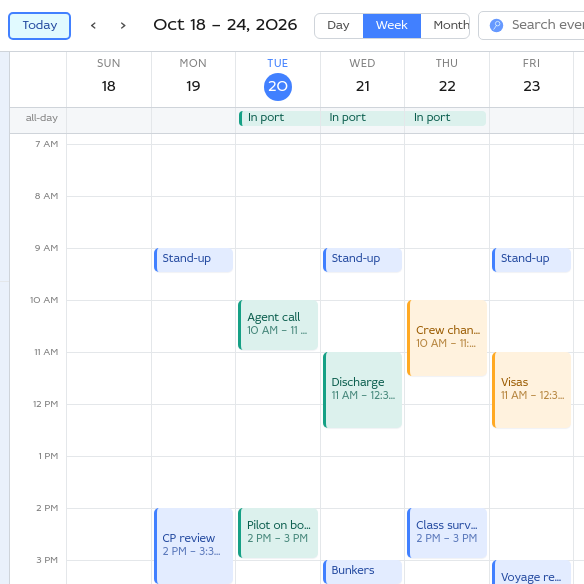
Plan your week in the same window as your mail.
- See your time by the day, the week or the month, or as an agenda
- Keep several calendars, each in a colour of its own
- Invitations that arrive by email go straight into your calendar
Sobamail brings email and custom apps together in one place. Work offline, stay in sync, and keep your data in a mailbox you can take with you.
Already have an account? Download the app or open Webmail.
 Sobamail — Inbox
Your email, your apps and their data live in one place, and they stay in sync across your devices and with your teammates.
Read it with the desktop client or on the web. Your apps live in that same mailbox, under the same address, so one sign-in puts your mail and your tools side by side.
The desktop client keeps a copy of your mailbox on your machine, and your apps run there too. You keep reading, writing and working on a plane or through an outage, and the client catches up once you are back online.
Share an app with your colleagues and it appears in their mailbox too. Whatever anyone adds or changes reaches everyone else the way a message does, so the whole team always sees the same thing.
Sobamail is an app platform as much as a mailbox. The forms, lists and trackers your team runs on can live in it, next to your mail, and today's AI coding tools put a working app within anyone's reach.

Off-the-shelf software rarely fits a specialist. Sobamail's building blocks are simple enough to shape around your exact process: an intake form, an approval checklist, a case tracker.
Every new tool usually brings another server, another login and another set of credentials to protect. Sobamail apps live inside the mailbox and client your team already runs, so there is a single piece of infrastructure to worry about.
Shared apps and their records sync into every team member's mailbox, so the whole team looks in one place for all of them.
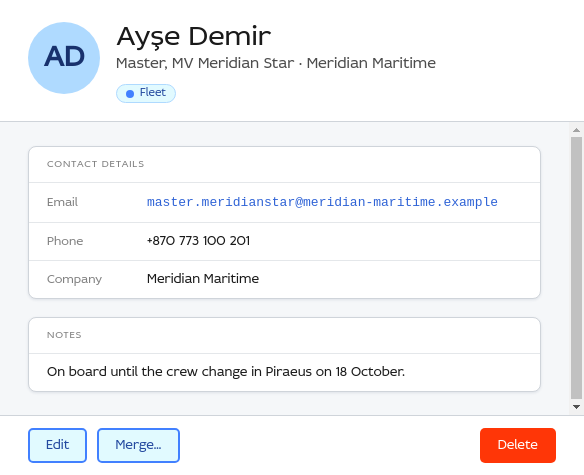
Calendar and Contacts data stay in sync on every device you use. They show what an app on Sobamail can do.
Plan your week in the same window as your mail.
Keep a card for everyone you write to.
Sobamail Desktop is a native client for Windows and macOS. Every action completes at local speed, so you keep working with or without a connection.
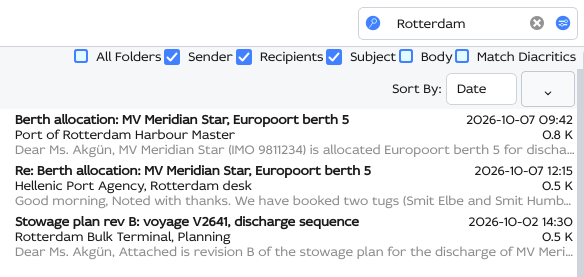
Start typing in the search box and the message list narrows with each keystroke.
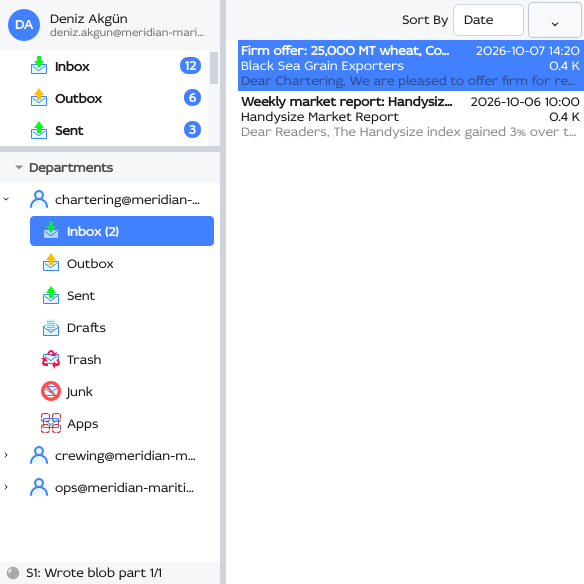
A department is a mailbox your team shares. Members can impersonate it to write from its address, and roles decide who can do what.
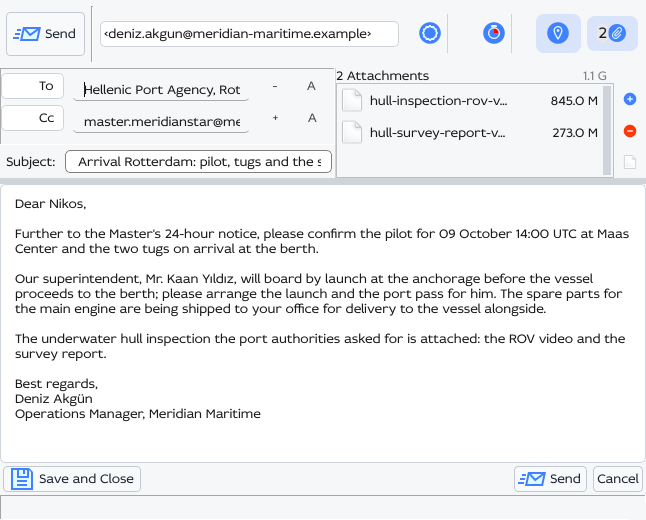
Attachments live in your mailbox at full size, up to 1 GB each.
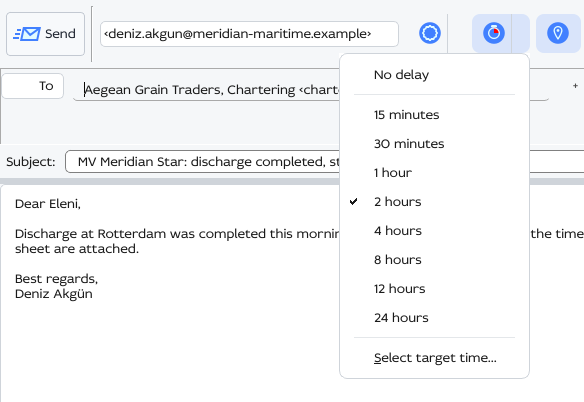
Write a message when it suits you, choose when it goes out, and sign it so its recipients know it comes from you.
Follow Delivery is on for every new message. As each recipient's mail server reports back, the reader marks the recipient with what happened.
When a message arrives, Sobamail's servers fetch its pictures and follow its tracking links. A sender who tracks opens sees the delivery, and the moment you read the message stays yours.
Export your mail and app data with standard email tools anytime, and decide exactly who can see it.
Read the full FAQ →
App data and files live in the mailbox you control, at full size, and stay there.

It is a standard mailbox underneath. Export it with standard email tools and move to another host whenever you choose.
Your mailbox and its apps are yours alone. Data is shared only when you explicitly create a shared app instance with the people you choose.
You write a Mutator, a small handler that keeps your app's local state up to date, and a frontend in plain HTML, CSS and JavaScript. Sobamail handles storage and background sync.
Our Calendar and Contacts apps are open source, so you can start from a working one and shape it to fit.
import "soba://computer/R2";

export default class Mutator {
  static id = "todo.alice.user.app";
  static name = "My First App";
  static version = "1.0.0.0";
  static objects = new Map([ /* events */ ]);

  constructor() {
    // define tables, run checks
  }

  process(message, metadata) {
    // react to the incoming event
  }
}
We review every request by hand and email you as soon as your account is ready. The link helps us confirm you're a real person, and we'll only email you about your account.
Just want to see some code? Head over to GitHub.